Clean point and ray control
Click to create a measurement point, drag it to refine the ray, and keep the angle attached to the original visual source.
Online Protractor keeps the measurement process practical: line the angle up over the actual image, create points directly on the canvas, and export what you need without breaking your workflow.
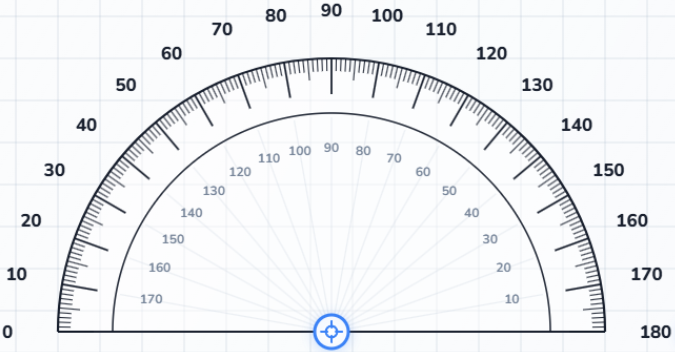
The strongest feature of Online Protractor is that it keeps the angle attached to the visual source. You do not need to guess where the corner was or retype the value into another tool to keep working.
Click to create a measurement point, drag it to refine the ray, and keep the angle attached to the original visual source.
Switch between free movement and stepped adjustments when you need cleaner, more stable values.
Measure over the original image instead of copying the angle into another app or spreadsheet first.
A browser tool should remove friction, not add it. These workflow features make it easier to move from one angle check to the next, whether you are reviewing a screenshot or comparing several corners from a single photo.
Move from uploaded file to live camera feed without leaving the same measurement workspace.
Each canvas click creates a point and updates the Measurements panel right away, so you do not need a separate save step.
Turn the grid on when perspective or uneven edges make the angle harder to judge at a glance.
Online Protractor is not pretending to replace certified equipment. It is built to make planning, checking, and explaining a measured angle much easier when the source already lives on screen.
Use a semicircle for standard classroom problems or full-circle mode for reflex angles and wraparound geometry.
Move the protractor from the center, resize from the side handles, and rotate from the edge when the source angle shifts.
Review supporting values quickly when you need to compare related angles during analysis.
Measurements are more useful when you can keep the evidence beside the number. That is why the tool offers both visual and structured export options from the same workspace.
Download a visual record that includes the background, the overlay, and the current measurement state.
Push multiple point readings into spreadsheet-friendly formats for comparison, QA, or team review.
Keep the measurement list in a portable format when another script or workflow needs angle values later.
| Feature | Physical Protractor | Basic Screen Overlay | Online Protractor |
|---|---|---|---|
| Measure over uploaded images | No | Sometimes | Yes |
| Reflex angle support | Manual workaround | Limited | Built-in 360-degree mode |
| Automatic point records | No | Rarely | Yes |
| Visual export | No | Screenshot only | PNG and PDF export |
| Structured data export | No | No | CSV, Excel, and JSON |